



What Is a Microsoft 365 Product Key and Do You Need One
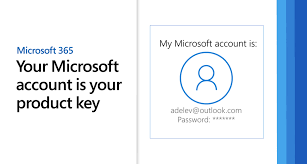
A Microsoft 365 product key is a unique 25-character code used to activate your subscription or perpetual license of Microsoft 365 product key Office. However, whether you actually need a product key depends entirely on how you purchased the software. When you buy a Microsoft 365 subscription directly from Microsoft using your Microsoft account, the license is tied digitally to that account, meaning no physical product key is required for installation or activation . You simply sign in and install. Conversely, if you purchase a retail box from a store or a digital key from an authorized retailer, you will receive a 25-character product key that must be redeemed to unlock the software . Understanding this distinction saves considerable confusion during setup.
Where to Find Your Microsoft 365 Product Key
If you have a product key but cannot locate it, several common locations hold the answer. For physical purchases, check the product key card inside the retail box, where the key is often hidden beneath a silver foil coating that you scratch off to reveal the code . For digital purchases, search your email inbox for the order confirmation from Microsoft or the retailer, as the product key typically appears in that message. If you purchased through the Microsoft Store online, sign into your Microsoft account and navigate to the order history section, where you can view your product key alongside your purchase record . When all else fails, contacting Microsoft support with your proof of purchase may allow them to retrieve or replace your key.
How to Redeem Your Microsoft 365 Product Key Online
Redeeming your product key is a straightforward process that takes only minutes when done correctly. Open a private or incognito browsing window in your web browser to avoid cached data conflicts, then navigate to the official Microsoft redemption page . Sign into the Microsoft account you want to associate with this subscription, as the license will permanently attach to this account. Enter your 25-character product key exactly as it appears, being careful to distinguish between similar looking letters and numbers. Select your country or region and preferred language from the dropdown menus, then click next to continue. The system will confirm your product and ask you to verify your subscription preferences including auto renewal settings. After confirmation, your Microsoft 365 subscription is linked to your account and ready for installation on your devices .
How to Activate Microsoft 365 After Redeeming Your Key
Once your product key is Powerpoint Download , activation happens through your Microsoft account rather than requiring the key again. Open any Microsoft 365 application such as Word or Excel on your computer. If prompted to sign in, enter the same Microsoft account credentials used during the redemption process. The application will automatically verify your license and complete activation without requiring you to re enter the product key . To confirm successful activation, click on File then Account in any Office application. Under the Product Information section, you should see a message indicating that Microsoft 365 is activated and showing your subscription status. If activation fails, sign out of your account within the application and sign back in to force a license refresh.
What to Do When Your Product Key Does Not Work
Encountering an invalid product key error is frustrating but often resolvable. First, verify that you have typed the key correctly, as confusing the number zero with the letter O or the number one with the letter I is common. If the key appears valid but still fails, the key may have been blocked by Microsoft. This frequently happens when keys are stolen, fraudulently obtained, or resold without authorization, particularly with suspiciously cheap offers from online marketplaces . Another possibility is regional mismatch, where a key purchased for one country or region cannot be redeemed in another. If you see a message about too many attempts, wait at least 72 hours before trying again, as temporary locks expire after this period . In all cases, your first action should be contacting the seller for a refund, then purchasing directly from Microsoft or an authorized retailer.
How to Activate Microsoft 365 Without a Product Key
Many users never need a product key at all because modern Microsoft 365 activation relies on digital licensing. When you purchase a subscription directly from Microsoft using your Microsoft account, the license is automatically applied to that account. To install Office, simply sign into the same account on your computer and the activation happens seamlessly in the background . Similarly, if your employer or school provides Microsoft 365 through a work or school account, you activate by signing in with that organizational account rather than entering any product key . This keyless approach is now the standard method for most consumers, making physical product keys increasingly unnecessary for direct Microsoft purchases.
Warning Signs of Fraudulent Product Keys
The market for Microsoft 365 product keys contains significant fraud, and recognizing warning signs protects your money and security. Any offer advertising a lifetime Microsoft 365 subscription for a one time fee of under fifty dollars is almost certainly fraudulent, as Microsoft 365 is a subscription service requiring recurring payments . Product keys sold separately from any software package, especially on online marketplaces or auction sites, frequently turn out to be stolen, volume license keys not authorized for resale, or completely fake . Keys described as volume licenses, technician keys, or educational keys sold to individuals rather than organizations violate Microsoft licensing terms and will likely be blocked eventually. Always purchase from Microsoft directly or from well known authorized retailers with clear return policies and customer support.
Managing Your Microsoft 365 Subscription After Activation
Once your product key is redeemed and your subscription activated, proper management keeps your access uninterrupted. Sign into your Microsoft account and navigate to the Services and Subscriptions page to view your active subscription, expiration date, and installed devices . From this dashboard you can install Office on additional computers, remove devices you no longer use, and manage recurring billing settings. If you purchased a subscription key, note the expiration date and set a calendar reminder before it ends. When your subscription approaches expiration, you can extend it by redeeming another product key or 6pm Jogginghose your payment method for automatic renewal. Keeping your Microsoft account credentials secure and your contact email current ensures you never lose access to your paid software.
